0-to-1 · iOS App · AI-Assisted
ReDance
Learning a dance from a video means fighting the video. ReDance is the practice player that fights it for you — slow any clip down, mirror it, and loop the hard part until the moves stick.
Live on the App Store since September 2026. I posted the build on social media, dancers signed up and tested it through TestFlight, and their feedback shaped what shipped in 1.0.
View ReDance on the App Store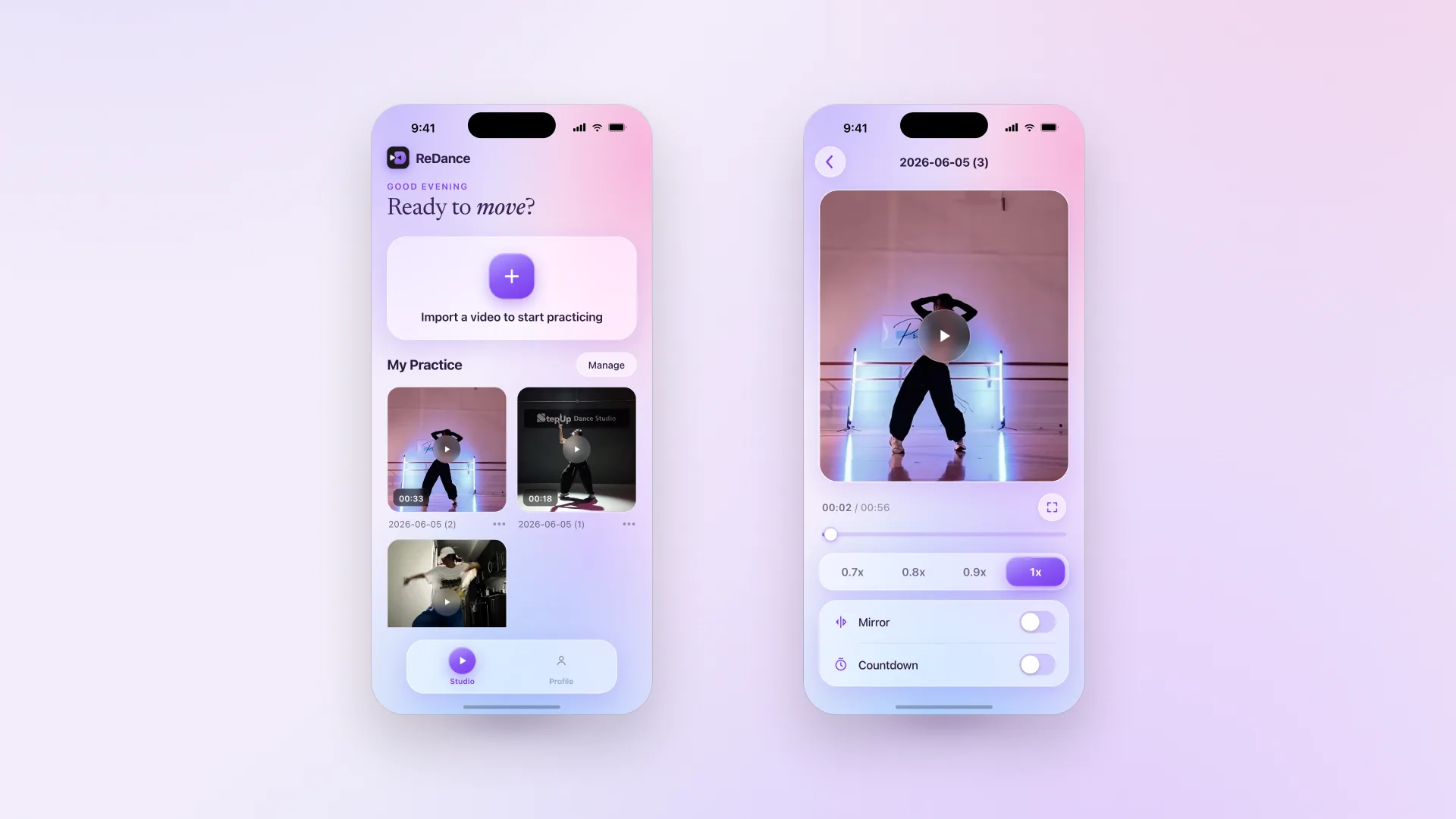
Role
Product Engineer
Timeline
Feb 2026 – Present
Team
Solo
Scope
0-to-1 (Research, Design, Develop, Test, Ship)
Every dancer's practice tool is a video player that won't cooperate
I'm a dancer. So this started as my own frustration — then I heard the same three complaints from nearly everyone I practice with. They aren't vague wishes; each one points at a specific, fixable failure of the tools beginners already use.
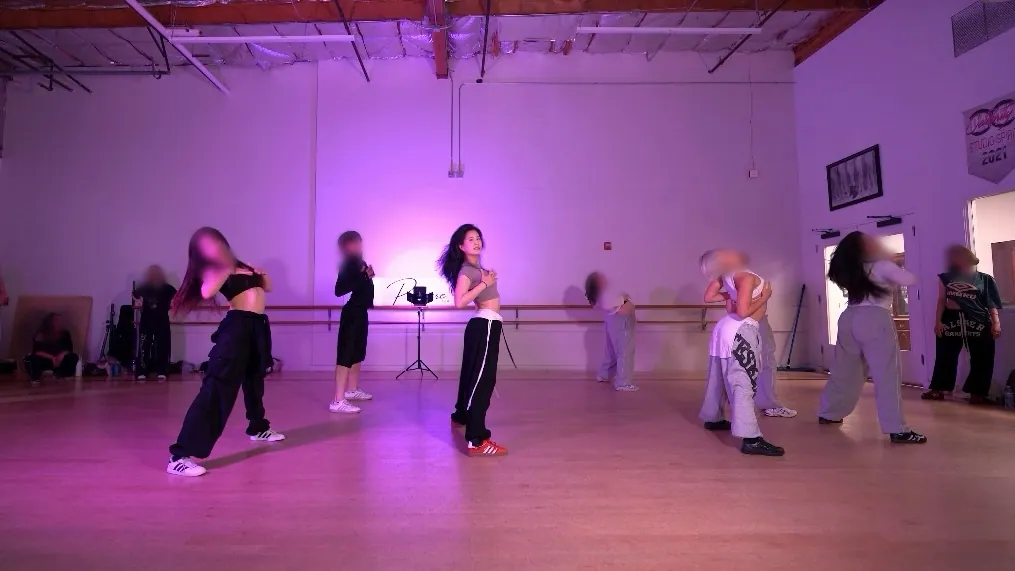
I find a routine I love on TikTok — but at full speed, I can't follow it at home.
For a 30-second routine, I drag that tiny progress bar back and forth a hundred times before the moves stick.
Dancing is exhausting enough. Running between the mirror and my propped-up phone makes it worse.
Beginners are forced to learn on tools built for watching, not drilling
Before designing a single screen, I looked at the three apps dancers already live in — YouTube Shorts, Instagram Reels, and TikTok. The same gaps showed up across all of them.
Stuck at full speed — gone before you catch it
To learn a step, a beginner needs to drop the clip to half speed or slower and actually see where the feet and arms go. On Shorts there's no playback-speed control at all — you can switch the captions or push the quality to 1080p, but the one setting that would help is missing. So the move keeps flying past at full speed, and “practice” becomes replaying the same blur, hoping it sticks.
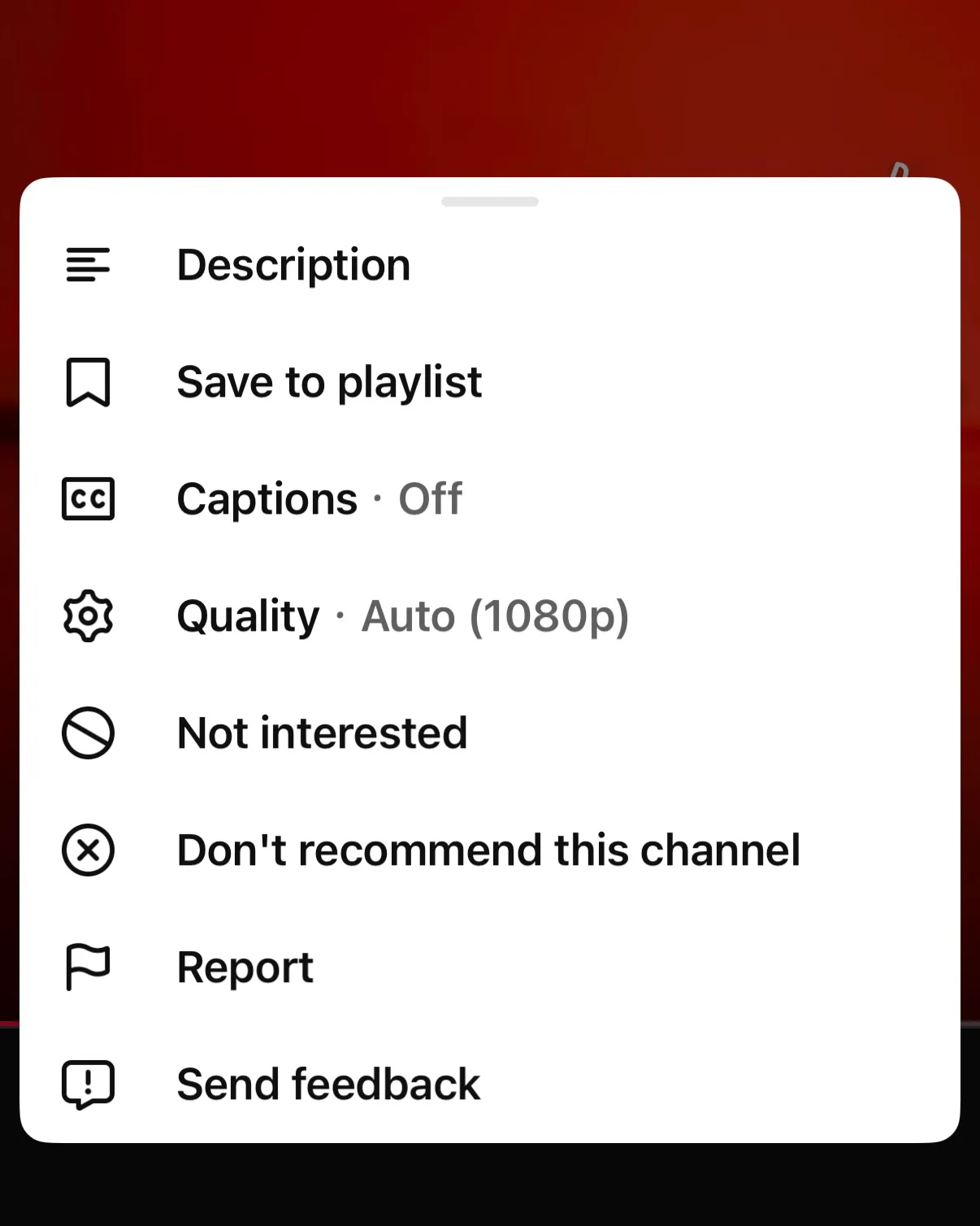 YouTube Shorts · the full menu, no speed change
No mirror — so you learn every move backwards
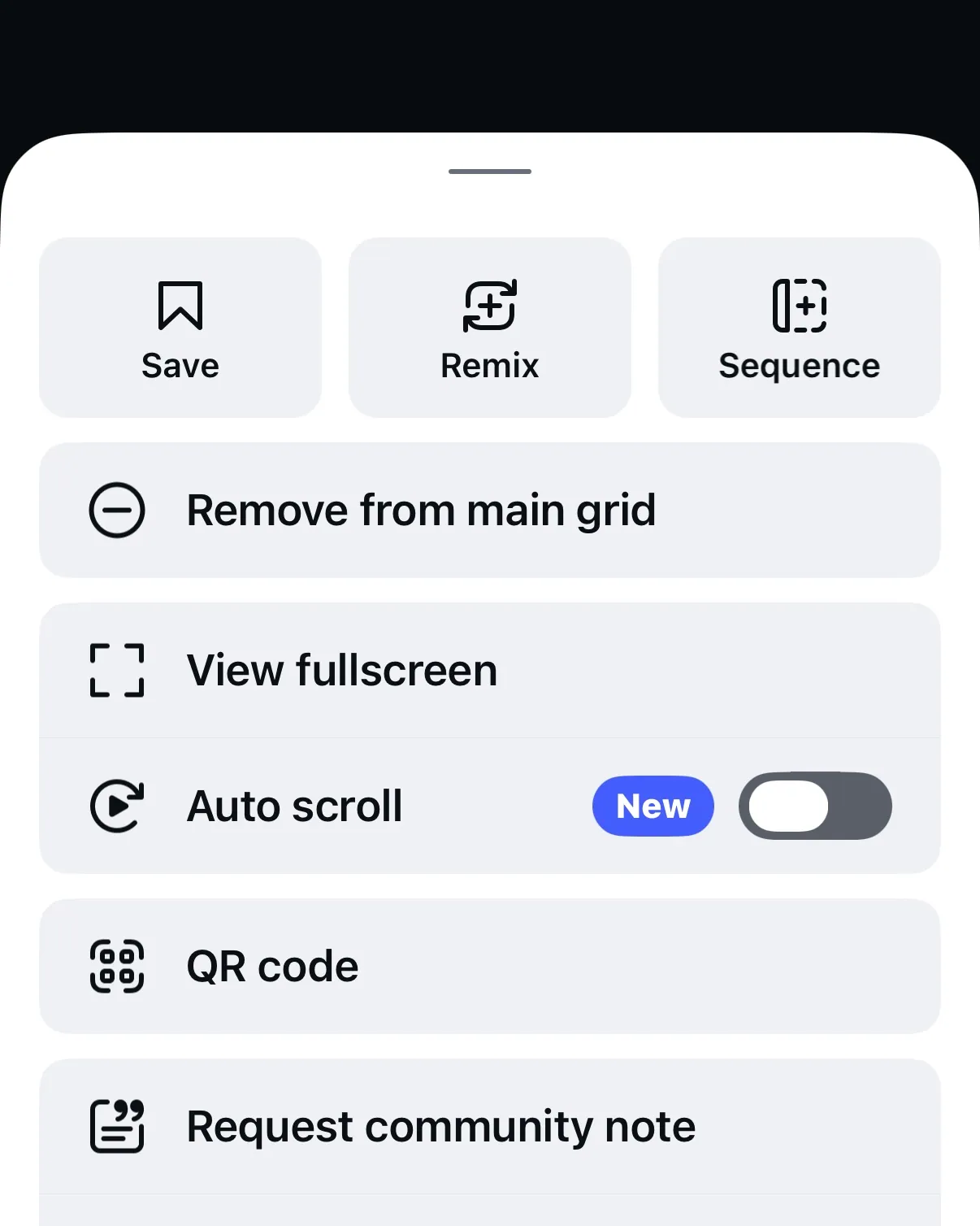
A front-facing video is reversed: the dancer's left is your right. Without a mirror toggle you either flip every move in your head while trying to keep up, or prop the phone by a wall mirror and physically shuttle between the two. Reels offers Save, Remix, Sequence, even an Auto-scroll toggle — but nothing to flip the video, so every move arrives mirror-wrong.
 Instagram Reels · no way to edit the video
Manual scrubbing — the workaround everyone hates
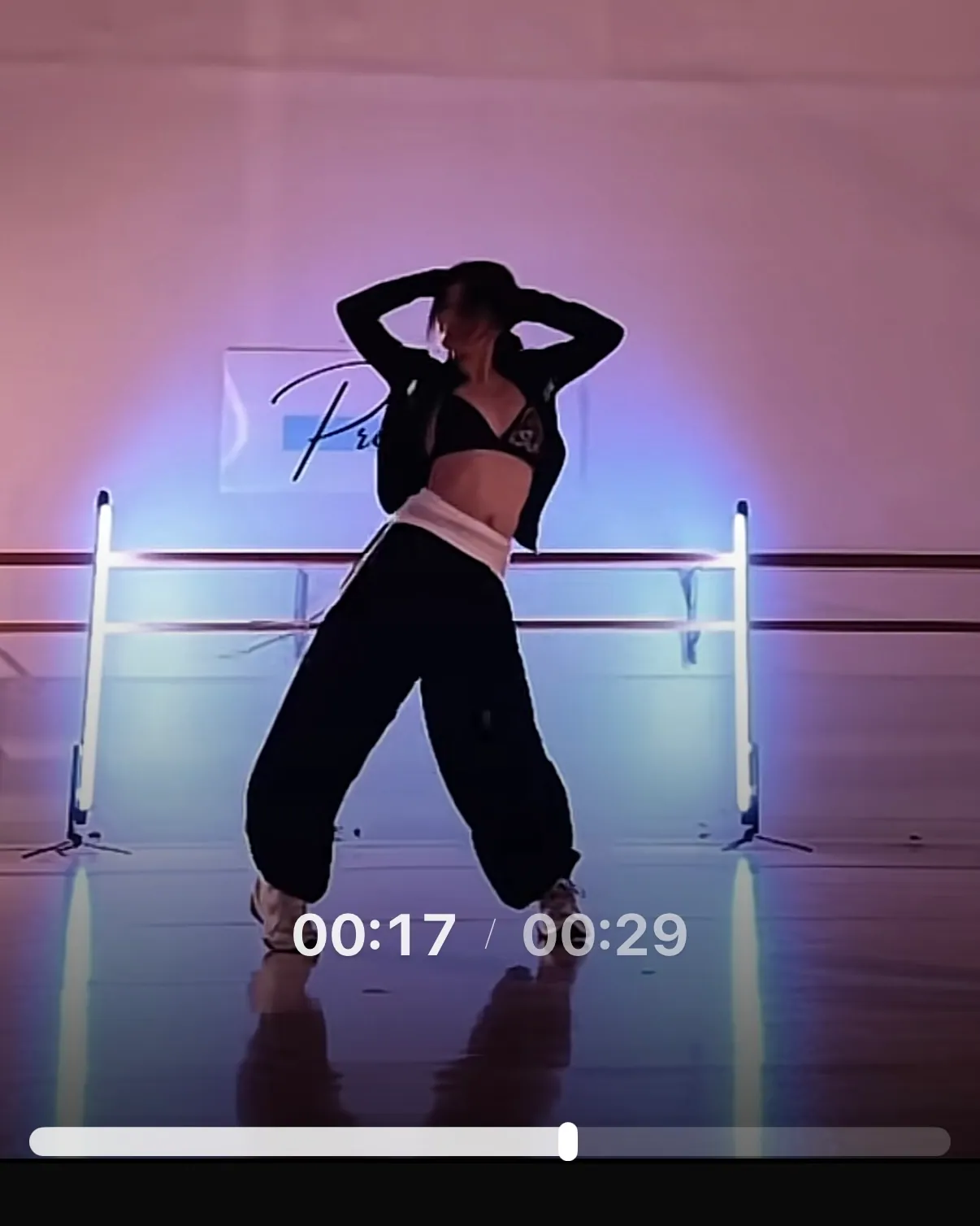
The fallback is dragging a tiny progress bar back and forth by hand — hundreds of times for one short routine. It's the single most-mentioned pain, and it's pure friction between watching a move and owning it.
 TikTok · dragging the tiny progress bar
The reframe: ReDance isn't a better video player. The job is to remove the friction between watching a move and owning it — and each of these three pains maps to one feature.
Slow it down without losing the rhythm
The Problem
Full speed is unfollowable; coarse speed controls overshoot
At 1× a beginner can't catch the footwork. But YouTube-style speed jumps (1× → 0.5× → 0.25×) skip right past the speed where a specific count finally clicks.
The Solution
Fine-grained slow playback, tuned for muscle memory
Precise control over playback speed so dancers can settle on the exact pace where they can follow and keep the count — then ramp back up as the move sticks.
Mirror it, so you follow instead of translate
The Problem
Facing the screen, the dancer's left is your right
Following a front-facing video means mentally flipping every move — or physically shuttling between a mirror and a propped-up phone. Both drain energy that should go into dancing.
The Solution
One-tap mirror flip — the screen becomes your mirror
Flip the video so the on-screen body matches yours. Practice facing the phone, copy directly, and skip both the mental translation and the trips back to the wall mirror.
A running start — be in position before the music hits
The Problem
Rushing back into position breaks your focus before you even begin
You set the phone down by the mirror, hit play, and then scramble back to your spot — hoping you make it before the first beat drops. Sometimes you do. Sometimes the music is already two counts in and you've already lost the beginning. The setup should take zero mental energy. Instead it costs you every single take.
The Solution
A countdown gives you time to get there
A few seconds between hitting play and the music starting — enough time to walk back, find your position, and be ready. No rushing, no replaying the intro just to catch the start. You begin every take on your own terms.
Designing what's next: an AI practice coach
The clearest next step is one: record your practice, let AI compare it against the original, and surface where your movement drifts. Designing it surfaces the real questions of building an AI feature people will actually trust.
Building trust
A beginner won't trust a bare number. So the AI shows its work: a side-by-side of your take and the original, with the specific moments it flagged — feedback framed as a coach pointing, not a judge scoring.
Handling AI error
Pose detection breaks on bad lighting, loose clothing, and odd angles. Rather than inventing a confident-but-wrong correction, low-confidence reads degrade honestly — “couldn't read this clearly, try a wider angle” beats a false verdict that erodes trust.
Dynamic output → UX
Every take produces different, probabilistic output. So the UI can't be binary. It surfaces confidence, focuses on the 1–2 highest-impact differences instead of 30 demoralizing nitpicks, and frames everything as progress toward the move.
No engineering team — I was the engineering team
The rare part of this project isn't a single screen; it's that one person owned the whole line, from problem to an app on the App Store. I designed it and I built it.
Owned end-to-end
Problem framing, IA, user flows, UI, and the production build — all solo. Shipped to the App Store as a native iOS app in React Native, no handoff, no spec lost in translation between design and dev because they were the same person.
AI-assisted workflow
With the AI assistance of Figma Make and Claude Code, I turned the concept from wireframe to working prototype in weeks. It let a designer ship real, interactive product alone — and it's exactly the fluency the market now expects.
Tested with real dancers, then shipped — the core held, the roadmap sharpened
As a solo maker, I inverted the usual order: a sharp personal insight justified building a focused MVP fast, so I could learn from a real, working app instead of a deck. To recruit, I posted the beta on social media — the posts drew genuine interest, and I invited those dancers in as TestFlight testers. Ten tested this round: the exact target user, most of them strangers rather than friends. What they found went straight into the build I submitted to the App Store.
The core held. Zero crashes and zero jank across all 10 testers; a 6.5-minute clip played back smoothly; and the craft got called out unprompted — one tester summed it up:
“Aesthetically pleasing… and so easy to use.”
What the testers sharpened
Frame-by-frame scrubbing
The most-requested precision ask — three independent testers, one a dance teacher who spec'd it exactly: press anywhere on the frame and drag, video follows your finger frame by frame. The clearest on-thesis signal for the next build.
Side-by-side compare
The strongest validated concept: play your take next to the original. Testers already hack this together in CapCut — and the unlock they named is an auto-aligned timeline, the part that's hardest to do by hand.
Honest discoverability gaps
Not just praise — real misses. The countdown toggle silently waited for the next loop (“nothing happened”) — found, fixed, and shipped in 1.0. The hidden ±5s gesture is the one I didn't fix: not one of the testers found it, which says the first-run hint itself failed, so it needs a redesign rather than a patch.
The before/after this round actually produced
Every item below traces to a named tester finding. Some earned a place in the launch build; the rest were scoped, not shelved.
Shipped in 1.0
- ✓The countdown bug — rewritten so the toggle takes effect immediately instead of waiting for the next loop, and verified on both iPhone and iPad before submission.
- ✓Fullscreen controls that auto-hide and return on tap, plus a legible ±5s readout — the surrounding polish the same sessions exposed.
Scoped into the next release
- →Frame-by-frame scrubbing — the round's strongest signal, and too large to land in 1.0 without holding the release.
- →Side-by-side compare, gated on the hard part the testers themselves named: an auto-aligned timeline.
- →A redesigned first-run hint for the ±5s gesture — the current one demonstrably doesn't work, so it gets rebuilt rather than nudged.
Reflection
ReDance is the clearest proof of how I work: I find a real problem I understand from the inside, frame it tightly enough that every feature has to earn its place, and then take it all the way to something that runs on a phone. Designing and building it myself collapsed the usual design-to-dev gap entirely. If I were to do one thing differently, I'd line up testers before the build wrapped — the personal insight was strong enough to justify building first, but the moment I put it in real dancers' hands, they sharpened the roadmap faster than I could alone. Version 1.0 went live on the App Store in September 2026 with their top-priority fixes inside it — and the asks it couldn't carry became the next release's scope.
See it on the App StoreNext Project
IKEA Food Mobile — O2O Experience Redesign